
Multiple Landspitali Employee Domain Accounts at Risk of Compromise
Disclosure details:
- Reported to: Landspítali
- Disclosed by: Defend Iceland
- Severity: Critical
- Weakness: Access Control Issues
- CVE ID: None
- Reported: 21.05.24
- Publicly Disclosed: 04.02.25
- Discovered by: hjorri
Multiple Landspitali Employee Domain Accounts at Risk of Compromise
This report details a critical security vulnerability discovered within Landspitalinn's systems through the Defend Iceland bounty program. A series of chained vulnerabilities and misconfigurations were identified, allowing attackers to compromise multiple employee credentials and register multi-factor authentication (MFA) to themselves. This could lead to unauthorized access and potential exfiltration of sensitive information from the affected system and accounts, including Emails, Microsoft Teams, SharePoint, OneDrive files and other data.
A proof-of-concept demonstrates the exploitability of this vulnerability, impacting 9 accounts, which should be considered compromised.
It is recommended that the IT team follow their standard account compromise procedure, including:
- Forcing password resets for the affected users.
- Revoking active login sessions for the compromised accounts.
- Ensuring MFA setup is complete and correctly configured for all users.
During the initial reconnaissance phase, a publicly accessible CMS system was identified at https://bokasafn.landspitali.is/. This system exhibited no rate limiting, meaning there's no restriction on how many login attempts can be made within a given timeframe, making it susceptible to brute-force attacks. Further enumeration revealed a ChangePassword page that disclosed a weak password policy, requiring only a 6-character password with no special character requirements. This weak policy significantly increases the risk of successful dictionary attacks.

Figure 1: Reconnaissance To Discovery
Using a wordlist of common Icelandic names and weak passwords, a cluster-bomb dictionary attack was performed, resulting in the successful compromise of user credentials after approximately 200,000 requests. With these credentials, access was gained to Landspitalinn's internal portal at https://innri.lsh.is, which did not enforce multi-factor authentication (MFA).
Using the access obtained to the internal employee portal, all user emails were exfiltrated to create an up-to-date username list. This list was then used against the CMS Login System in a more precise password guessing/cluster bomb attack. This led to an additional 8 accounts being compromised. All of the compromised accounts exhibited weak and easily predictable passwords, commonly found in password attack lists, and contained no special characters.
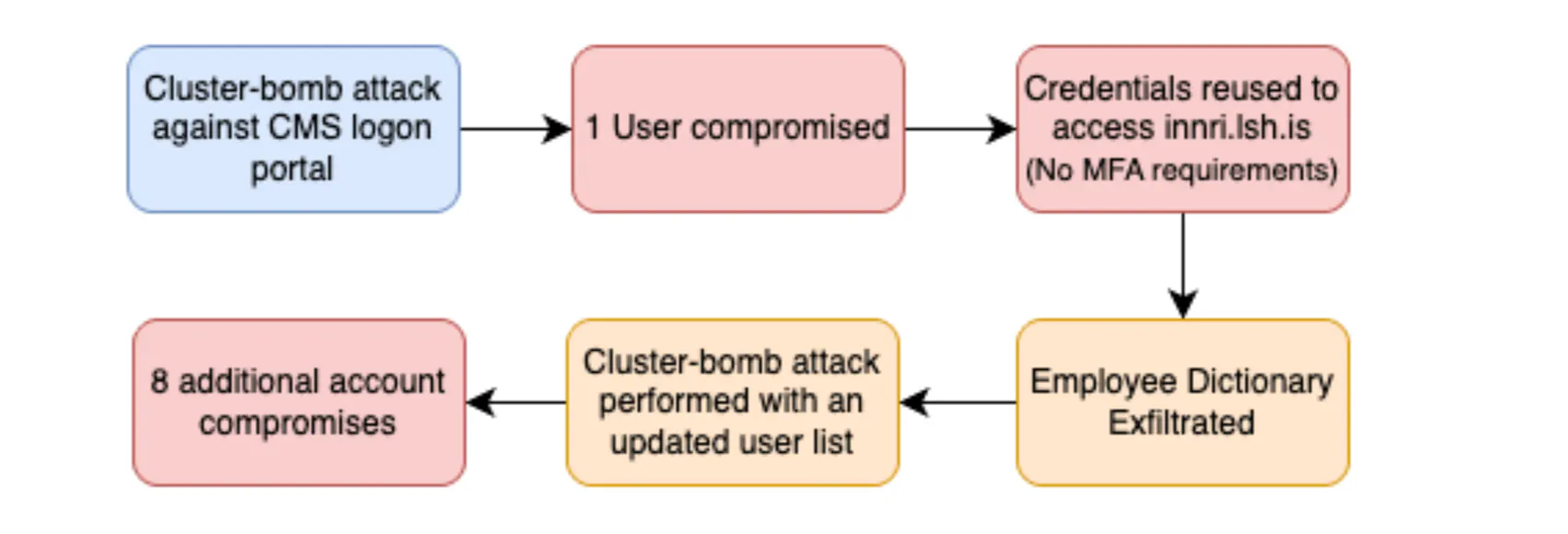
Figure 3: System Specific Account Compromise Process
The compromised credentials were then used to access the employee's Office 365 account, successfully accepting the provided user credentials.
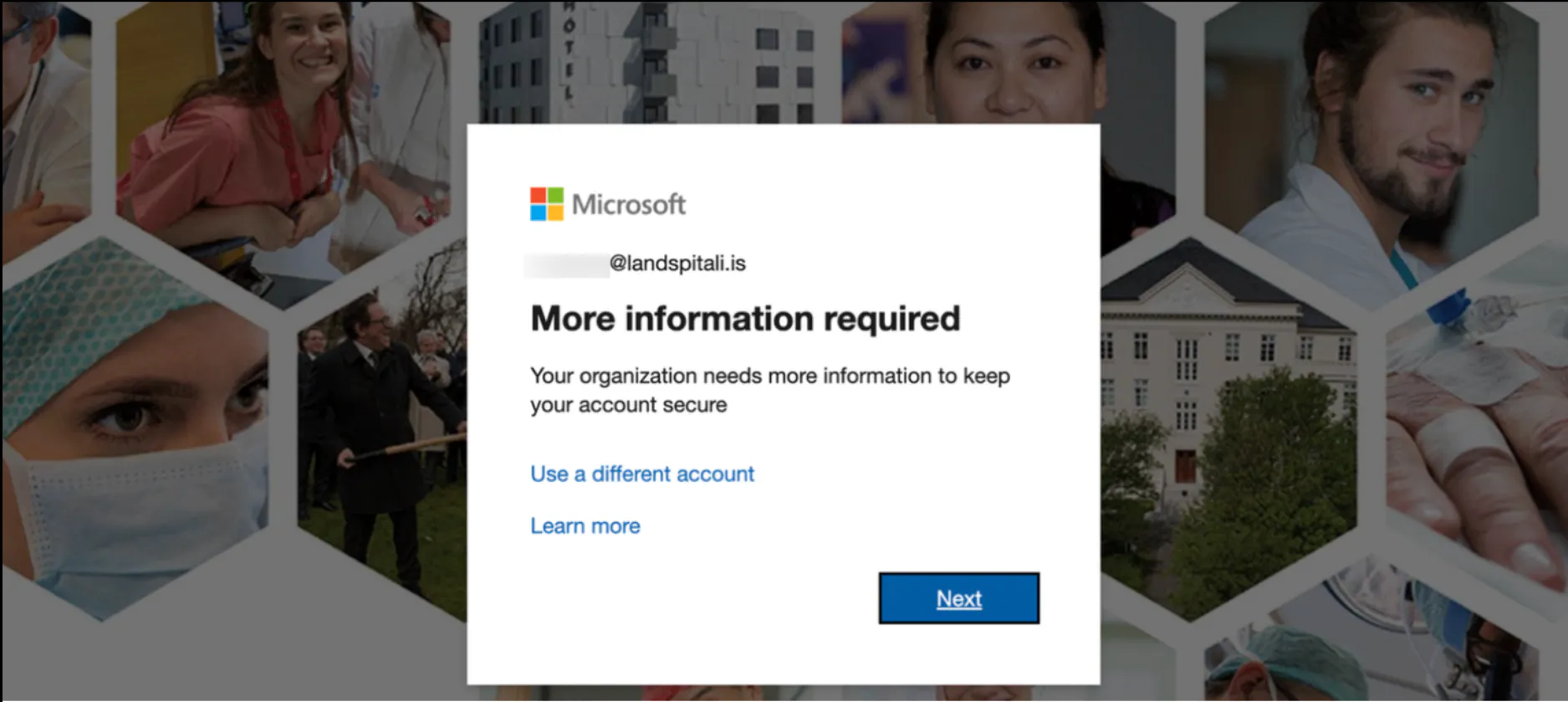
Figure 4: Credentials Successfully Reused Against Office365
Because the employee had not completed their MFA registration, it was possible for an attacker to complete the registration first, resulting in complete account take over.
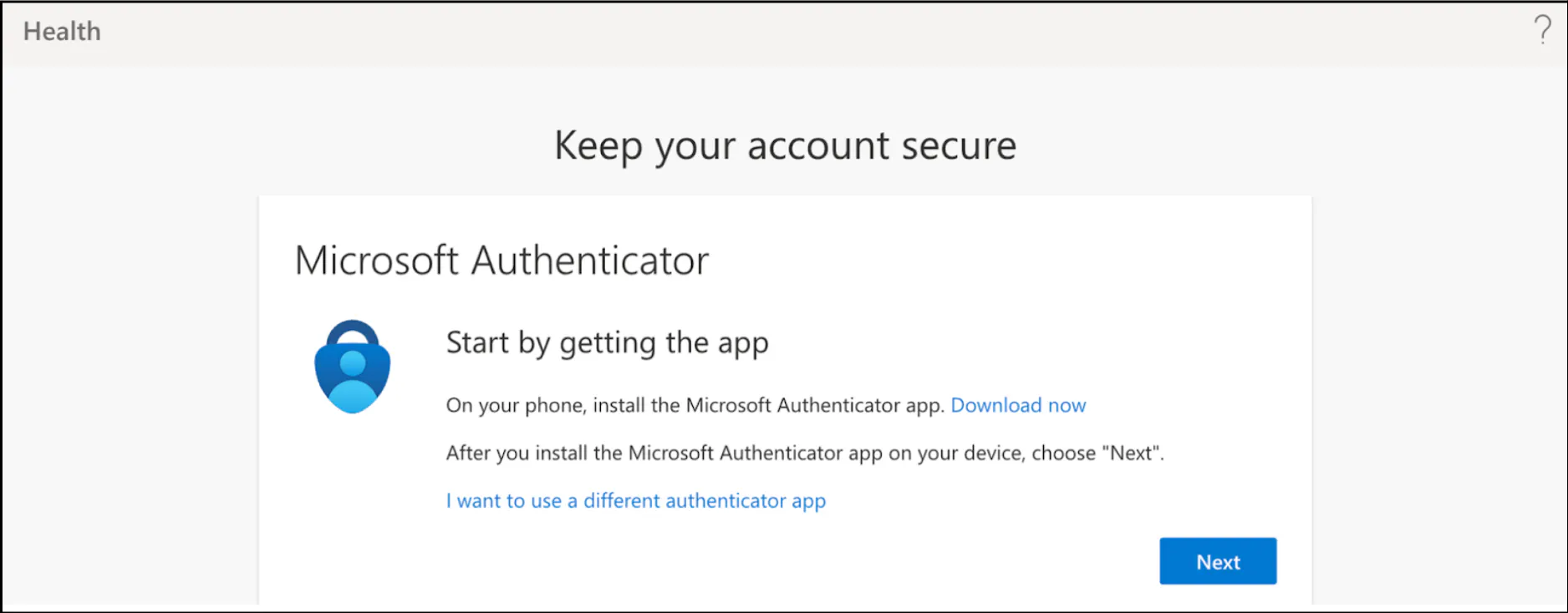
This poses a critical risk which could have enabled unauthorized access to Email, Teams, SharePoint, OneDrive, or any publicly exposed system requiring two-factor authentication could potentially lead to a data breach.
Additionally, this vulnerability could have enabled an attacker to exploit Landspitali's Azure environment, potentially escalating privileges and compromising the entire domain if other vulnerabilities or misconfigurations are present (with help of post-exploitation tools and frameworks such as AzureHound and GraphRunner).
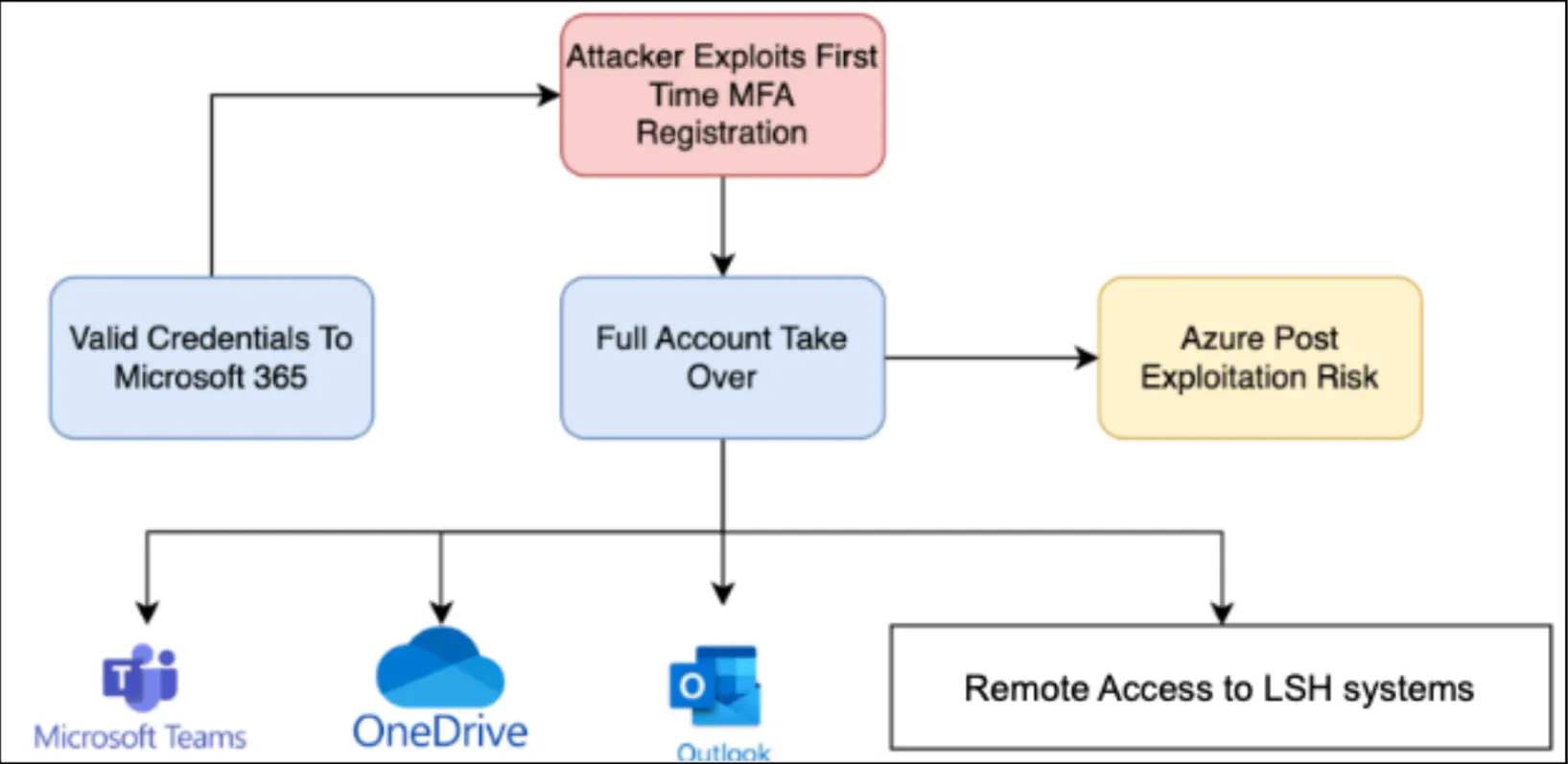
Figure 6: Domain Account Compromise Diagram
It is suspected that Landspitalinn employs Conditional Access Policies (CAPs) that exempt employees from multi-factor authentication (MFA) when accessing systems from trusted networks or devices. In this scenario, an employee who consistently accesses resources from such trusted origins might not have been required to complete MFA setup. Upon obtaining valid credentials and attempting access from an untrusted location, an attacker would be prompted to complete a security details flow by Microsoft, potentially enabling the addition of MFA to the account without the owner's awareness. This implies the owner could retain access to resources with credentials alone from a trusted location, while an attacker from an untrusted location could gain control over the account.